
Does Google Meet mirror your video? What you see vs. what others see

You join a call and your self-view looks normal. Then someone shares a screenshot, or you watch the recording, and your face looks slightly off: your smile tilts the other way, and your hair is parted on the other side. Nothing is wrong with your camera. Meet shows you one version of your face and everyone else another.
Does Google Meet mirror your video for others?
No. In Google Meet on a computer, only your self-view is mirrored, flipped left to right like a reflection. Raise your right hand, and the hand on the right side of your self-view goes up. The picture Meet sends to everyone else is not mirrored. They see you the way your camera sees you, which is also how people see you across a table. Google confirms the same mirroring behavior for backgrounds: in your self-view, “your background appears mirrored or inverted but other participants in the meeting can see the correct orientation” (Google Meet Help).
What you see
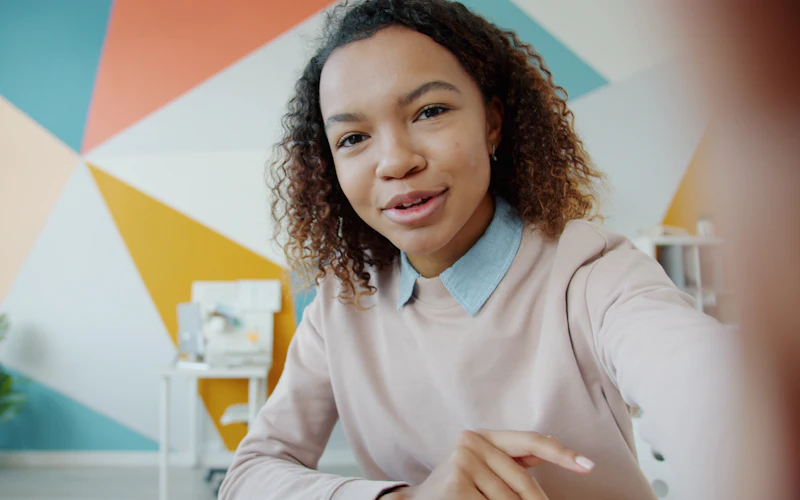
Mirrored, like your reflection. The sign reads backwards.
What everyone else sees
Not mirrored, as your camera sees you. The sign reads correctly.
Zoom and Microsoft Teams work the same way. Their “Mirror my video” setting changes only your own self-view, as Microsoft’s Teams blog explains.
For Zoom's own setting and its recordings, see what Mirror my video does in Zoom.
For Microsoft Teams, see what Mirror my video does in Teams.
Apps mirror your self-view because the mirrored face is the one you know. In a 1977 study, people preferred mirrored photos of themselves, while their friends preferred the true photos. So the true picture can look strange to you: it is the version you rarely see. The true mirror shows both versions side by side with your own camera.
Is a Google Meet recording mirrored?
No. A Google Meet recording shows the true picture, the same one the other participants see. So do screenshots that others take. Google’s help does not say this directly, so we tested it: on November 13, 2026 we recorded a Meet call and compared the recording with the self-view. The recording showed the unmirrored version of the video, unlike the mirrored self-view.
- Text you hold up (such as a book cover) and logos on your shirt read correctly for others but backwards in your self-view.
- Writing on a whiteboard behind you reads normally for your students. Nothing needs fixing.
If a colleague says your picture looks flipped on their screen, Meet is not the cause. Something on your computer flips the video first: your webcam’s app, the camera driver, or an extension such as MirrorMyCam set to Mirrored.
Google Meet self-view vs. what others see
| In a Google Meet call | You (self-view) | Everyone else |
|---|---|---|
| Your face | Mirrored | True picture |
| Text you hold up | Reads backwards | Reads correctly |
| Recording | – | True picture |
| Meet’s own setting to change it | – | None |
How to unmirror Google Meet or choose what others see
Google Meet’s own settings have neither. MirrorMyCam, a free extension for Chrome and Microsoft Edge, adds both. It needs no account, and your video is never sent to us.
Send a mirrored picture to everyone
- Add MirrorMyCam with the install guide and pin it to the toolbar.
- Join a Meet call. If the call was already open, reload the tab once.
- Click the MirrorMyCam icon.
- Make sure Mirrored is selected under What others see. Any change is instant.
When you show text, such as a document or a whiteboard, switch back to Normal.
Unmirror your self-view
- In a Meet call, click the MirrorMyCam icon.
- Under What others see, choose Normal.
Your self-view now shows the unmirrored picture, exactly what others see, so recordings hold no surprises. MirrorMyCam remembers your choice for every call.
How MirrorMyCam works, and its limits
MirrorMyCam flips each frame of your camera inside your browser tab, on your computer, before Meet sends it. Your video is never sent to us; Meet sends it to the call as usual. The extension stores only your choice and the date you installed it. It works in Chrome and Microsoft Edge on a computer, in Google Meet, Zoom and Microsoft Teams on the web. It does not work in the Zoom or Teams desktop apps, or in the Meet app on phones. A mirrored picture also mirrors any text you show, and if a call was already open when you installed it, reload that tab once.
Should people see you mirrored?
There is no right answer, only the face you are more comfortable showing.
- Interviews and first meetings: if you feel more at ease when others see the face you know from the mirror, set What others see to Mirrored.
- Teaching, demos and anything with text: keep Normal, so writing and logos read correctly.
- Recorded videos: pick one setting and keep it, so your face does not switch sides between videos.
Flip camera in Google Meet on phones and tablets
On a phone, the flip button switches between the front and rear cameras. It does not mirror your picture for others. Extensions do not run in the Meet app on Android, iPhone or iPad, so to choose what others see, join from Chrome or Edge on a computer.
Questions people ask
How do I mirror my camera in Google Meet?
Google Meet's own settings have no option for this. Install the free MirrorMyCam extension for Chrome or Edge, join the call, click its icon and set What others see to Mirrored.
How do I unmirror my self-view in Google Meet?
Google Meet's own settings have no option to unmirror your self-view. With MirrorMyCam, set What others see to Normal. Your self-view then shows the unmirrored picture, exactly what others see.
How do I flip my camera in Google Meet?
On a phone, the flip button switches between the front and rear cameras. It does not mirror your picture. On a computer, Meet has no option to flip what others see; MirrorMyCam adds one.
Why does text look backwards in Google Meet?
Text looks backwards only in your self-view, because Meet mirrors it. Everyone else reads it the right way around.
Sources
- Google Meet Help: Change backgrounds & effects in Google Meet (self-view mirrored, others see the correct orientation)
- Microsoft Teams Blog: Turn off Mirror my video in Microsoft Teams meetings (2022)
- Mita, Dermer and Knight (1977). Reversed facial images and the mere-exposure hypothesis. Journal of Personality and Social Psychology, 35(8), 597-601